
Add MobiGyaan as a preferred source on GoogleInstagram has launched a desktop version of its Edits video creation app for macOS, bringing multi-track editing, advanced color-grading tools and 4K video exports to Mac users. The desktop release comes as Edits reaches 50 million users, just over a year after its initial launch on mobile, according to Brett Westervelt, product lead for Edits.
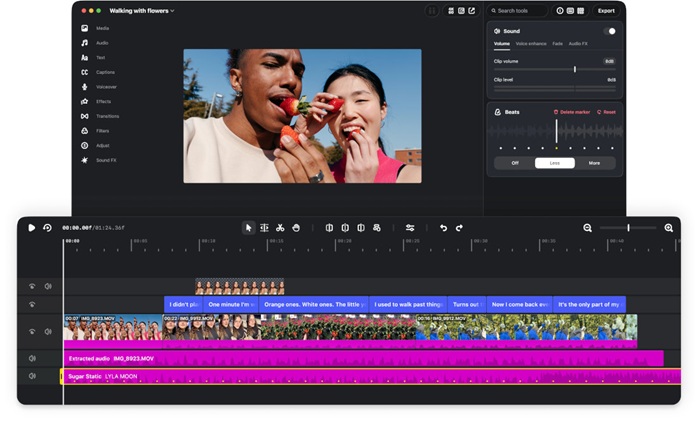
The new desktop application is designed to offer creators more control over their video editing workflows, with a larger timeline interface, keyboard and mouse support, and tools for handling more complex multi-clip projects.
Instagram Edits For Mac: Features & Editing Tools
The desktop version introduces a multi-track timeline with keyframe controls for transitions, visual audio waveforms for beat matching, and customizable keyboard shortcuts. Users can also import keyboard shortcut mappings from other popular video editing applications.
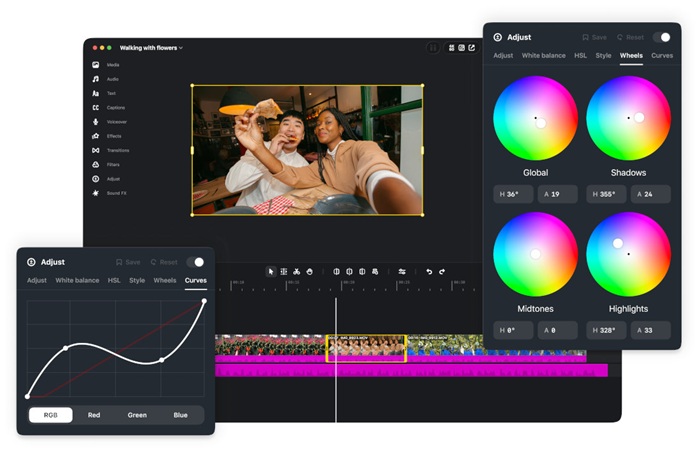
For color grading, Edits supports color wheels, log conversions, tone curves, and user-imported Look-Up Tables (LUTs). These tools provide creators with greater control over the appearance and color of their footage.
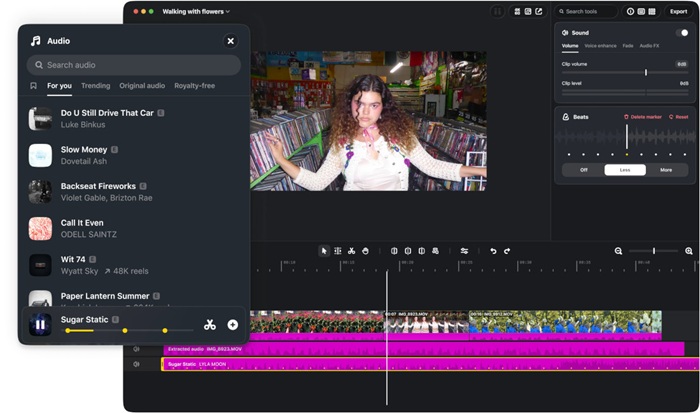
The application also integrates Instagram’s licensed and royalty-free audio libraries. Users can import custom fonts and generate automated captions in multiple languages without a stated limit. Previously saved assets and text styles from the mobile app can also sync with the desktop workspace.
Another addition is support for connecting AI agents through the Model Context Protocol (MCP), allowing creators to integrate AI-powered assistance into their editing workflows.
Instagram Edits: Publishing & Export Options
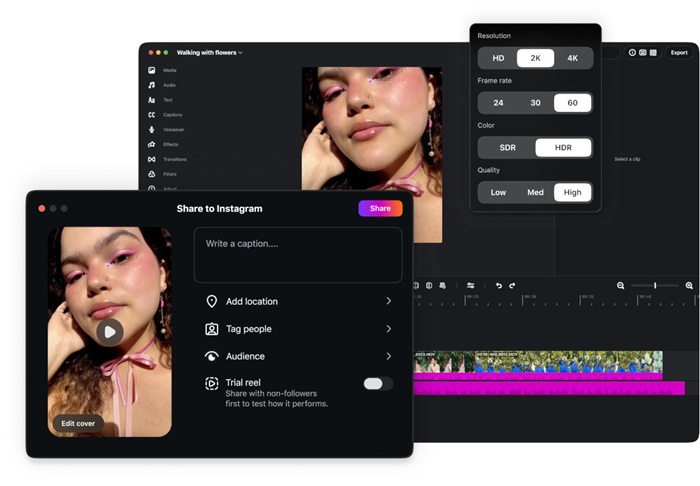
Edits for Mac allows users to publish videos directly to Instagram from the desktop application. The publishing workflow supports account tagging, location tags, and Trial Reels.
For creators working across different social media platforms, the application supports both vertical and horizontal aspect ratios. Videos can be exported at resolutions of up to 4K without watermarks.
Instagram Edits for Mac: Availability & System requirements
The Instagram Edits desktop application is available as a free download for macOS through the official Instagram Edits website.
Currently, the application requires a Mac powered by Apple silicon, starting with the M1 chip or later. It is not available for Windows PCs at this time.
Users need to sign in with an Instagram account to sync projects and publish videos directly to the platform.
Instagram’s Edits development team plans to release weekly updates, with further development focused on enabling complete project synchronization between desktop and mobile devices.

