
Add MobiGyaan as a preferred source on Google
Microsoft has announced a new set of improvements for the Windows Search Box, introducing a cleaner interface, more relevant search results, improved app and file discovery, and additional controls over web and Microsoft Store suggestions. The update is designed to make Windows Search faster, easier to navigate, and more reliable.

Cleaner Search Experience
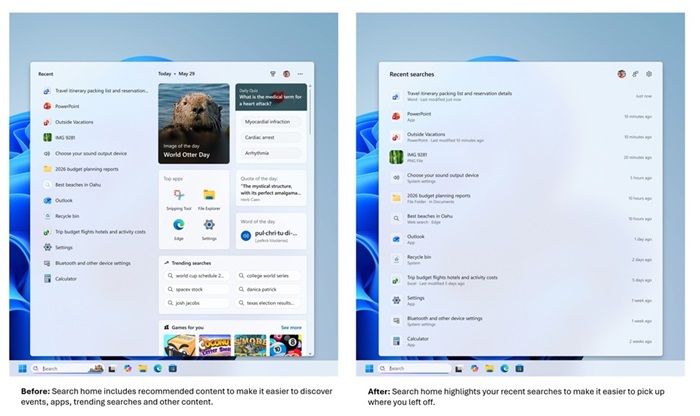
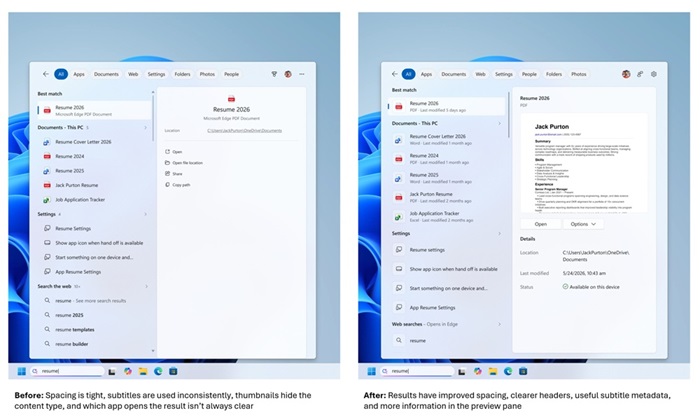
Microsoft has redesigned the Windows Search home page to reduce visual clutter and improve usability. Recent searches are now easier to access, while search results clearly identify whether they are apps, settings, files, web results, or Microsoft Store suggestions, allowing users to understand where each result will open before selecting it.
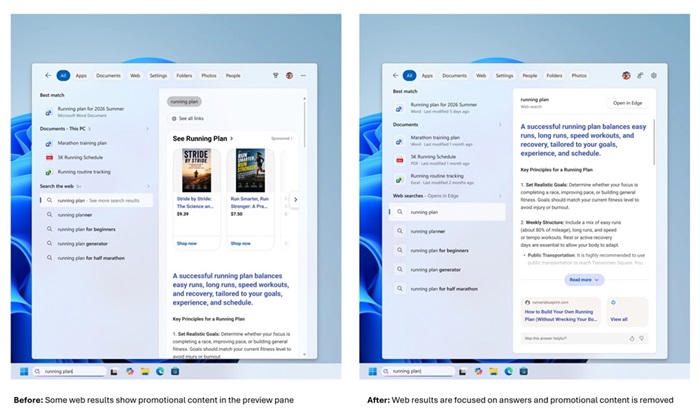
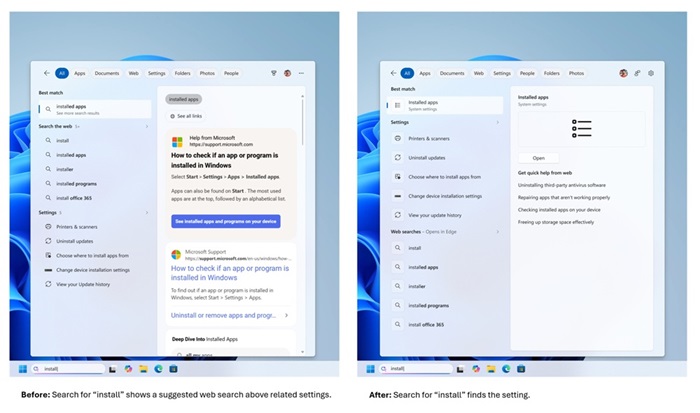
The company has also removed promotional content from web search results, allowing the most relevant information to appear first. In addition, Windows Search now prioritizes local apps, files, and settings over web and Microsoft Store suggestions whenever they provide a better match. Frequently used system items such as This PC and Recycle Bin are also easier to locate.
Improved App, File, & Settings Search
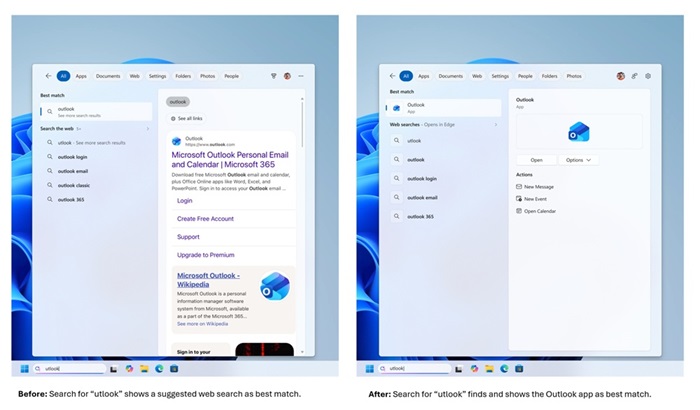
Microsoft has enhanced Windows Search to better understand typing mistakes and incomplete queries. The updated search engine can now handle missing letters, extra characters, typos, and partial words more effectively. For example, searching for “utlook” can still return Outlook as the top result.
The company has also introduced an initial round of improvements for Settings search to deliver more relevant results, with additional refinements planned over the coming months.
Other improvements include:
- Support for two-character file searches
- Improved discovery of local, cloud, and connected files when they are the most relevant match
- Better overall search ranking for apps, files, and settings
More User Control & Improved Reliability
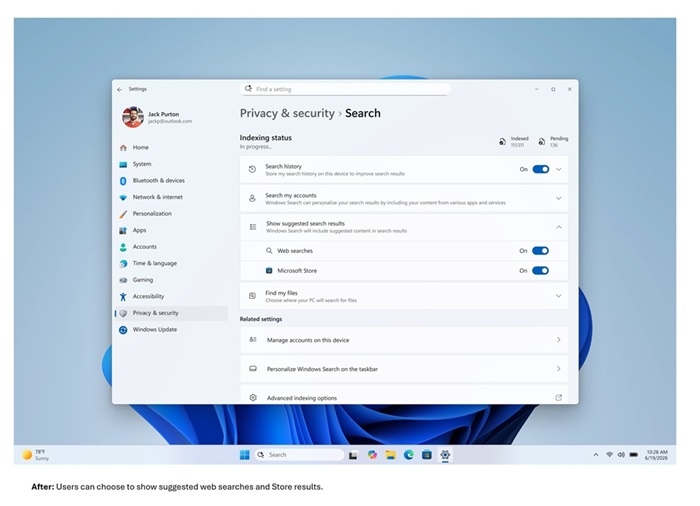
Microsoft is also giving users greater control over how Windows Search behaves. Through Settings > Privacy & Security > Search, users can now choose whether web and Microsoft Store suggestions should appear alongside local search results.
The company says it has also improved Windows Search reliability by reducing crashes and loading issues, with additional stability improvements planned in future updates.
Availability
The updated Windows Search experience is currently rolling out gradually to Windows Insiders in the Experimental channel through a Controlled Feature Rollout (CFR).
Since the rollout is phased, Microsoft notes that not all eligible users will receive the update immediately. Users can restart their PCs to check for availability, while advanced users can also enable the new features manually using feature flags.

