
Google has released a native desktop app for its Google Gemini on macOS, bringing AI assistance directly into the desktop workflow. The new app is designed to let users interact with Gemini without switching between apps or browser tabs, improving productivity and multitasking.
Key features and functionality
Quick access from anywhere
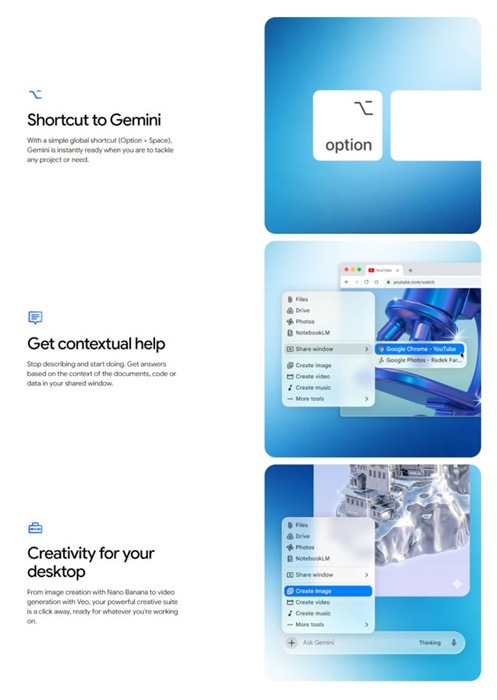
- Trigger Gemini using Option + Space shortcut
- Works across any active screen or app
- Enables quick queries like calculations, summaries, or writing help
Contextual screen and file sharing
- Share entire screen or specific files with Gemini
- AI can analyze visual content like charts, documents, and data
- Useful for summarizing information or extracting insights
Built-in generative tools
- Image generation using Nano Banana
- Video generation using Veo
- Accessible directly within the desktop overlay
The Gemini desktop app aims to reduce the need to switch tabs or apps, provide real-time contextual assistance, and enable faster workflows for work, study, and content creation
Availability & Requirements
- Platform: macOS
- Minimum requirement: macOS 15 or later
- Availability: Free, rolling out globally
- Download: gemini.google/mac
Google has stated that this release is an initial step, with plans to expand features, improve personalization, and develop Gemini into a more proactive desktop assistant.

