
Add MobiGyaan as a preferred source on GoogleWhatsApp has introduced Strict Account Settings, a privacy-focused feature designed to protect users who may be at higher risk of targeted cyberattacks. If you want to lock your account to the most restrictive security settings, here’s how you can enable it.
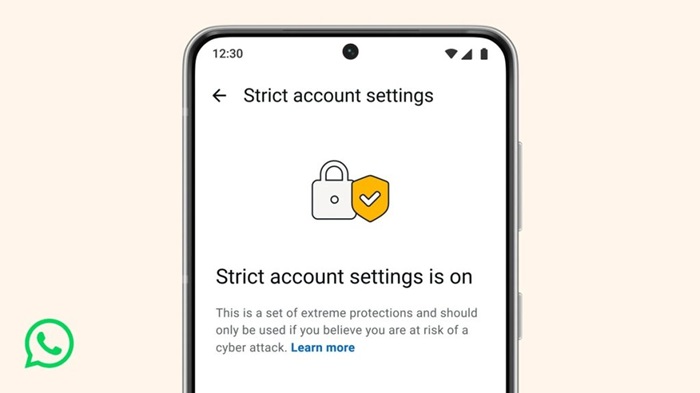
How to Enable Strict Account Settings on WhatsApp
Step-by-Step: Enable Strict Account Settings
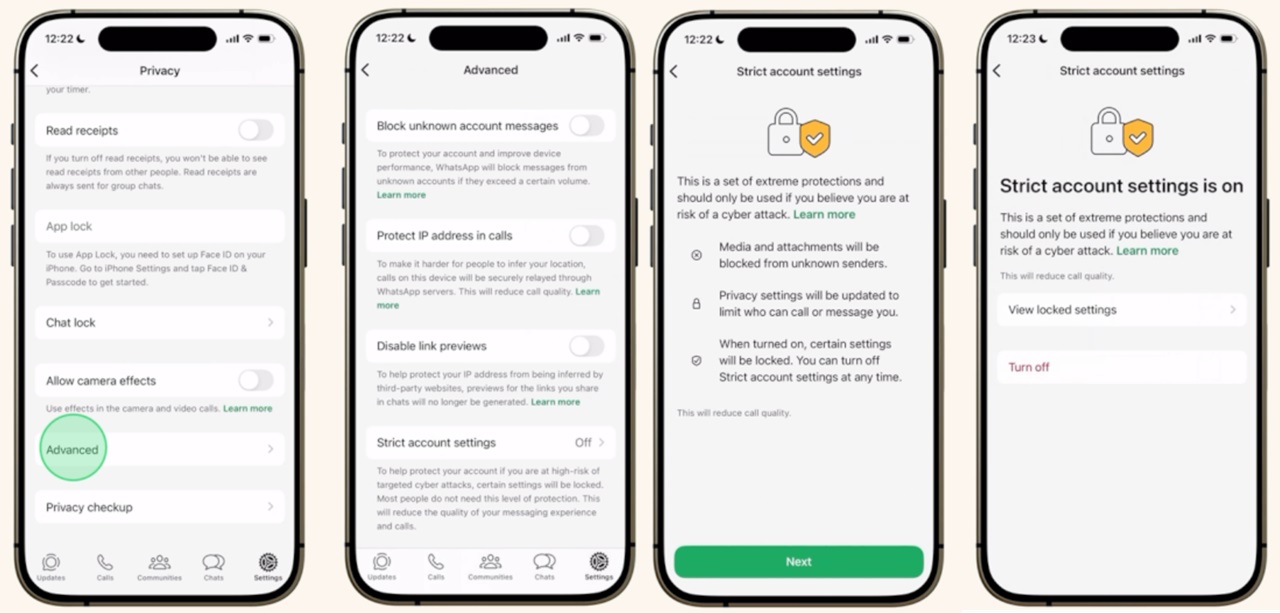
- Step 1: Open WhatsApp on your smartphone
- Step 2: Tap on Settings
- Step 3: Go to Privacy
- Step 4: Scroll down and tap Advanced
- Step 5: Select Strict Account Settings
- Step 6: Turn it ON to activate the protections
Once enabled, the feature applies automatically – no additional configuration is required.
What Happens After You Enable It?
When Strict Account Settings is turned on, WhatsApp automatically:
- Blocks media and attachments from unknown senders
- Silences calls from people you don’t know
- Locks certain privacy and security options at their most restrictive level
These changes help reduce exposure to advanced threats that often rely on unknown contacts or malicious files.
Who Should Use This Feature?
WhatsApp recommends enabling Strict Account Settings if you are:
- A journalist or researcher
- An activist or part of civil society
- A public-facing individual
- Someone who believes they may be targeted by sophisticated cyber threats
For regular users, WhatsApp’s default privacy and security protections remain unchanged and sufficient in most cases.
Can You Turn It Off Later?
Yes. You can disable Strict Account Settings at any time by going back to:
- Go to Settings -> Privacy -> Advanced -> Strict Account Settings and switch it off
Strict Account Settings is a simple but powerful way to add an extra layer of protection to your WhatsApp account. If privacy and security are a priority, especially in high-risk situations, enabling this feature takes just a few taps.
![How to save your parking location in Google Maps [Guide]](https://www.mobigyaan.com/wp-content/uploads/2019/01/google-maps.jpeg "Google brings Gemini AI to Pedestrians and Cyclists in Maps 3")
