Add MobiGyaan as a preferred source on GoogleWhatsApp has announced a new privacy-focused feature called Strict Account Settings, aimed at users who may face a higher risk of targeted cyberattacks. While WhatsApp already provides default end-to-end encryption for messages and calls, the company says certain users – such as journalists, activists, and public-facing individuals – may require stronger, account-level safeguards against rare but sophisticated threats.
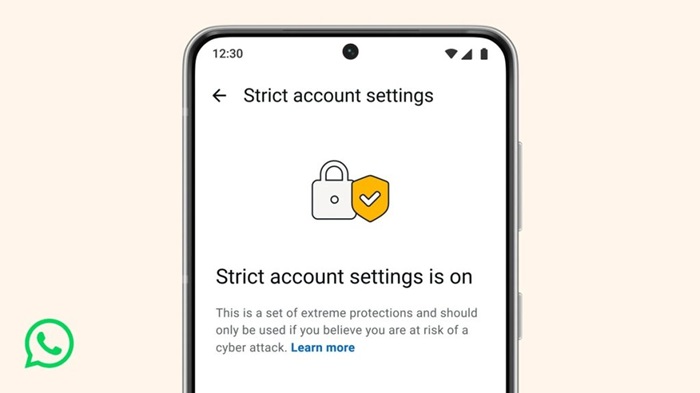
The new feature acts as a lockdown-style security layer, automatically enforcing the most restrictive privacy and security controls once enabled.
Strict Account Settings is designed to minimize exposure to unknown or potentially risky interactions by locking select privacy options at their highest security level. Once turned on, users cannot selectively relax these settings unless the feature is disabled.
Key protections include:
- Automatically blocking media files and attachments from unknown senders
- Silencing calls from contacts not saved in your address book
- Restricting certain account behaviors to reduce attack vectors
The goal is to reduce the ways attackers might exploit messaging features through social engineering or malicious files.
When enabled, Strict Account Settings:
- Locks privacy and security options at maximum restriction
- Limits unsolicited media and attachment delivery
- Silences unknown callers automatically
- Reduces common attack surfaces used in targeted cyber intrusions
WhatsApp emphasizes that this feature is not meant for everyday spam, but for users who believe they may be targets of advanced or coordinated cyber threats.
According to WhatsApp, Strict Account Settings is especially useful for:
- Journalists and media professionals
- Researchers and academics
- Activists and civil society members
- Public-facing individuals or users at a higher risk of surveillance
For most users, WhatsApp’s existing default security protections remain sufficient, and no changes are required.
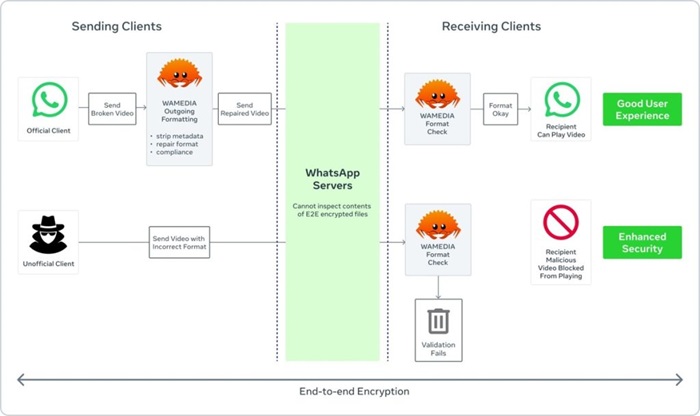
Alongside this update, WhatsApp continues strengthening its platform using Rust, a memory-safe programming language. Rust is now used in areas such as media handling to help prevent vulnerabilities from maliciously crafted images, videos, or documents.
These backend improvements complement user-facing features like Strict Account Settings and WhatsApp’s default end-to-end encryption.
How to Enable Strict Account Settings on WhatsApp
Strict Account Settings is rolling out gradually over the coming weeks.
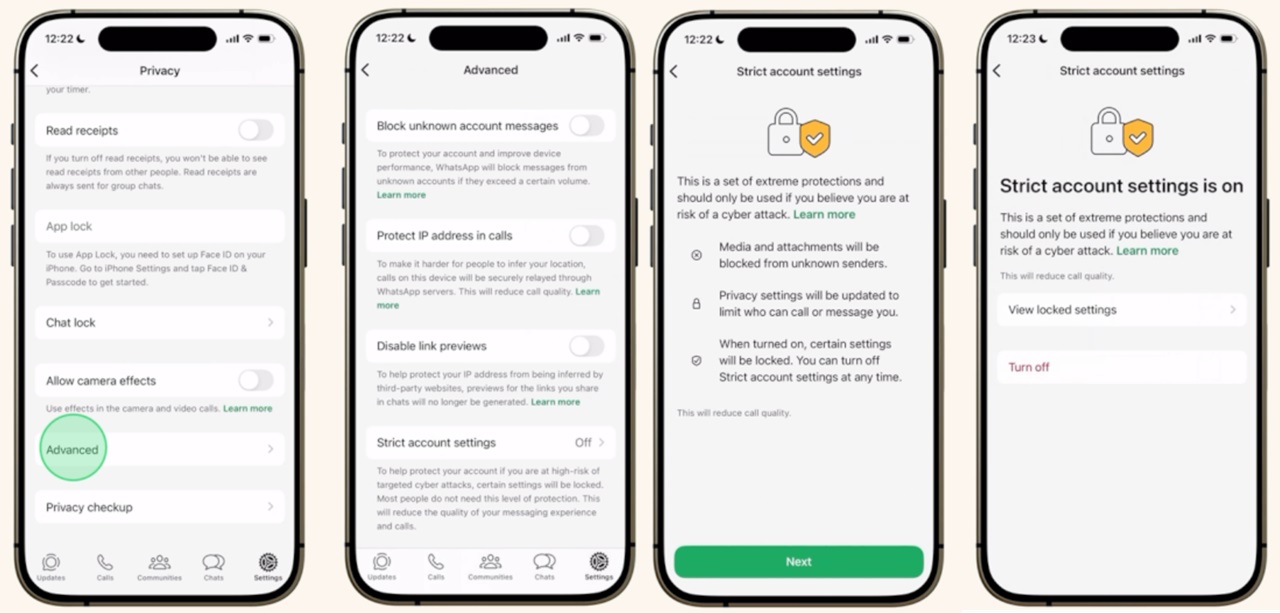
To enable it:
- Go to Settings -> Privacy -> Advanced -> Strict Account Settings
Once activated, all protections apply automatically.