

Add MobiGyaan as a preferred source on Google
Microsoft has started rolling out Windows 11 26H2, also known as the Windows 11 2026 Update, to eligible devices running Windows 11 24H2 and Windows 11 25H2. The new annual feature update introduces changes across security, File Explorer, accessibility, Start menu, taskbar, device recovery and system administration.
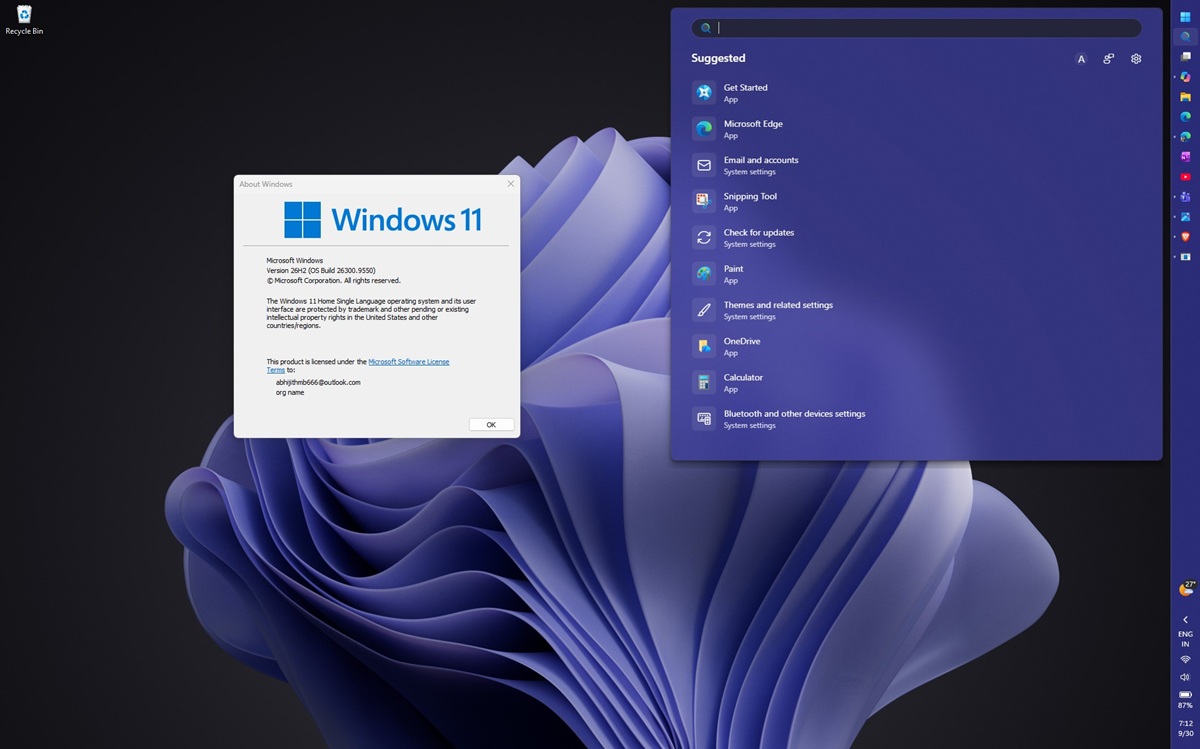
Microsoft says Windows 11 26H2 shares the same underlying codebase and system files as versions 24H2 and 25H2. As a result, the update is delivered through a lightweight enablement package, which activates features already present in the latest monthly updates and requires a single restart.
Windows 11 26H2 Gets New Security Features
One of the major additions is Administrator protection, which uses just-in-time privileges and profile separation for administrative tasks. It is disabled by default and can be configured through Intune or Group Policy.
Microsoft is also adding Sysmon directly into Windows. It can use custom configurations and record events in Windows Event Log, although it is disabled by default.
Other security-related changes include improvements to Smart App Control, which can now be enabled or disabled without performing a clean Windows installation. Windows 11 26H2 also adds support for passkeys and security-key PIN setup through plugin credential managers.
The update expands Enhanced Sign-in Security to support compatible peripheral fingerprint sensors on Windows 11 PCs, including desktops and Copilot+ PCs.
Microsoft is also changing driver trust. Cross-signed drivers are no longer trusted by default, while WHCP-certified drivers and an allow list of trusted legacy drivers remain supported.
The update additionally introduces post-quantum cryptography support for ML-KEM and ML-DSA under FIPS 203 and FIPS 204 through CNG and .NET. ML-KEM can also be used for TLS key exchange.
File Explorer Gets AI Actions & Search Improvements
File Explorer receives several changes in version 26H2, including AI actions for supported image editing and document summarization.
For supported OneDrive and SharePoint files, Copilot can summarize documents without opening them. This functionality requires an active Microsoft 365 subscription and Copilot license.
File Explorer Home also adds Open file location and Ask Copilot actions for work and school accounts.
Microsoft is expanding archive support with formats including UU, CPIO, XAR and NUPKG. View and Sort preferences are also preserved when applications directly open the Downloads and Documents folders.
Users can now use voice typing to rename files, while File Explorer Home has also been optimized for faster startup and improved responsiveness.
Search receives support for previews, typos and partial app names, while frequently used folders can be automatically indexed.
Start Menu & Taskbar Get More Customization
The Start menu now includes a scrollable All section with category and grid views. Users can adjust its size and choose whether to display the Pinned, Recent and All sections.
Windows 11 26H2 also expands taskbar positioning. Users can place the taskbar at the bottom, top, left or right of the screen, while a smaller taskbar option is also available.
Supported AI agents, including Researcher in Microsoft Copilot, can display progress and completion notifications through the taskbar.
New Camera Modes & Connectivity Improvements
Windows 11 26H2 introduces Multi-App Camera, allowing multiple applications to access a camera stream simultaneously.
A new Basic Camera mode provides a simplified camera experience intended for troubleshooting and stability. Both camera modes can be configured through Group Policy.
Bluetooth improvements cover LE Audio, voice calls, microphone mute synchronization and reconnection after hibernation.
Microsoft is also improving USB4 support for displays connected through USB4 docks and hubs when a PC resumes from standby.
Windows Update Aims To Reduce Restarts
Windows Update can now install eligible updates alongside the monthly security update where possible, potentially reducing the number of additional restarts required.
Individual updates remain accessible through Settings > Windows Update > Available updates, while expedited or critical updates can still be installed separately.
Accessibility Features Get Major Updates
Windows 11 26H2 brings new features to Magnifier, Narrator and Voice access.
Magnifier adds specific zoom percentages and adjustable zoom increments, along with clearer screen-reader announcements and a full-screen color tinting option.
Narrator gains Braille Viewer, which can display on-screen text together with its Braille equivalent on a refreshable Braille display. Microsoft has also added improvements for navigating Microsoft Word documents.
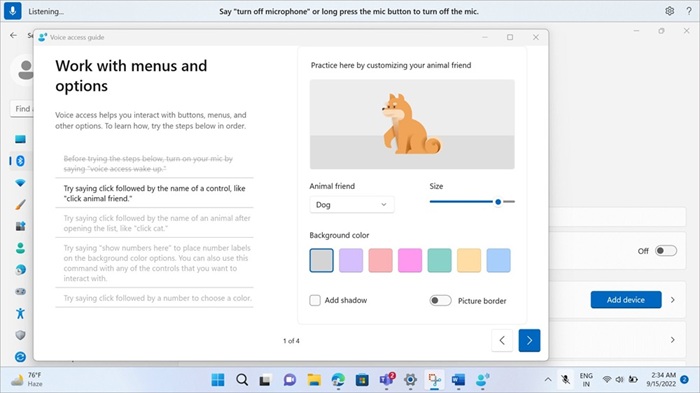
On supported Copilot+ PCs, Voice access gains more natural-language interaction, including support for filler words and synonyms instead of relying solely on predefined commands.
Voice access also adds support for French, German, Spanish and Korean, along with Voice Isolation to reduce interference from other speakers and background noise.
Task Manager Adds NPU Information
Task Manager now provides additional information about neural processing units.
Optional NPU and NPU Engine columns can be enabled in the Processes, Users and Details tabs. The Details tab can also show NPU Dedicated Memory and NPU Shared Memory.
Neural engines included within a GPU appear on the Performance page, while an Isolation column identifies applications running inside an AppContainer.
Microsoft has also added a secure processing mode designed to prevent batch files from being modified during execution.
New Recovery & Device Management Features
Windows 11 26H2 adds several recovery and deployment improvements for managed environments.
First sign-in restore supports Microsoft Entra hybrid joined devices, Cloud PCs and multi-user environments, restoring supported settings and Microsoft Store app lists. It can also be used during device refreshes, upgrades and migrations.
Point-in-time restore can return a PC to a recent automatic restore point containing apps, settings and personal files.
Microsoft is also introducing Quick machine recovery, which can perform a one-time remediation scan and automatically check for solutions when enabled.
Administrators can additionally use Group Policy to remove certain MSIX or APPX applications through their package family names.
WMIC Removed
Microsoft has removed the Windows Management Instrumentation Command-line (WMIC) tool from Windows 11 version 24H2 and later. It is also no longer available as a Feature on Demand.
How To Get Windows 11 Version 26H2
Microsoft is rolling out Windows 11 26H2 to eligible PCs running Windows 11 version 24H2 or 25H2. Microsoft confirms that the feature update is available through Windows Update and requires one restart after installation.
To check for the update:
- Open Settings
- Go to Windows Update
- Turn on Get the latest updates as soon as they’re available
- Check for updates
- Download and install Windows 11 version 26H2 if it appears
The rollout is controlled, so the update may not appear immediately on every eligible PC. Microsoft can also apply safeguard holds to devices affected by known compatibility issues.
For commercial and education customers, Windows 11 26H2 is available through Windows Autopatch and the Microsoft 365 admin center, while existing update rings, policies and deployment tools continue to apply.
Windows 11 26H2 Support Period
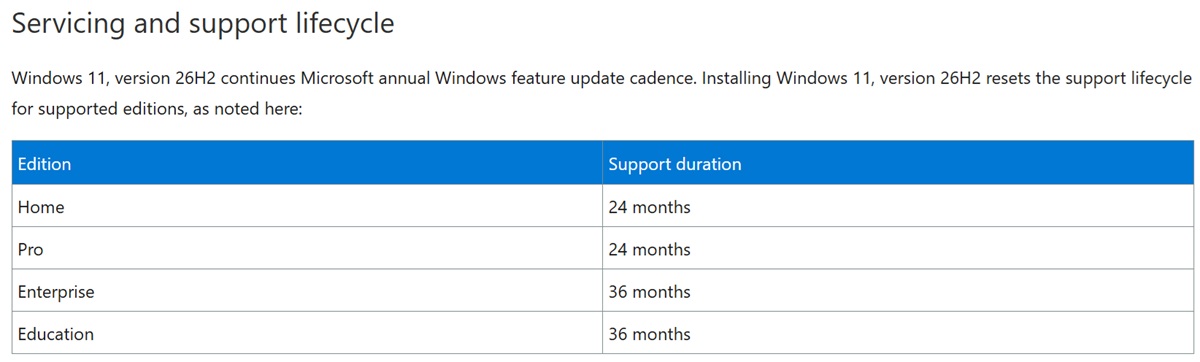
Windows 11 continues Microsoft’s annual feature-update cycle, with feature updates arriving during the second half of the calendar year.
- Windows 11 Home and Pro: 24 months of support
- Windows 11 Enterprise and Education: 36 months of support
Microsoft also confirms that Windows 11 24H2 Home and Pro editions are scheduled to reach end of support on October 13, 2026, making the transition to a supported Windows 11 version particularly relevant for those PCs.